TrendVision Features
Unlock the power of TrendVision and revolutionize your trading experience.
Volume Scanner
Receive real-time alerts for unusual trading volume spikes across 12 dedicated channels, including squeeze alerts.
News Scanner
Access real-time news updates with alerts across 8 dedicated channels to stay informed on import press releases.
Custom Scanner
Set up your own scanner with personalized alerts and receive them in a dedicated channel just for you.
IPO Scanner
Get alerts for upcoming IPOs, ensuring you never miss new market listings.
Squeeze Scanner
Receive updates when our scanner identifies potential squeeze opportunities, dynamically refreshing the watchlist by analyzing daily market data.
Whale Scanner
Stay ahead of the market with alerts for large trades, categorized by small, medium, and large transactions, indicating significant market activity.
0 Borrow Scanner
Receive alerts for stocks with zero available shares to borrow, helping you identify short-squeeze opportunities.
Social Media Scanner
Monitor trending topics and discussions across social media platforms to uncover real-time insights from the day-trading community.
Halt Alerts
Get instant notifications for news-related and volatility-induced trading halts, keeping you informed during critical market events.
Top Gainers Channel
A dedicated channel that updates every minute with the top-performing stocks for the current market session (Pre-Market, Regular, After-Hours).
All-in-One Scanner
Access a comprehensive channel that consolidates nearly all scanners, complete with voice alerts for immediate market insights.
Callouts System
Log your trades directly on our platform with detailed analytics. Track your performance with beautiful visualizations, win rates, and historical data to improve your trading strategy.
Powerful Commands
Explore the commands that TrendVision offers to help you navigate and analyze stocks effectively.
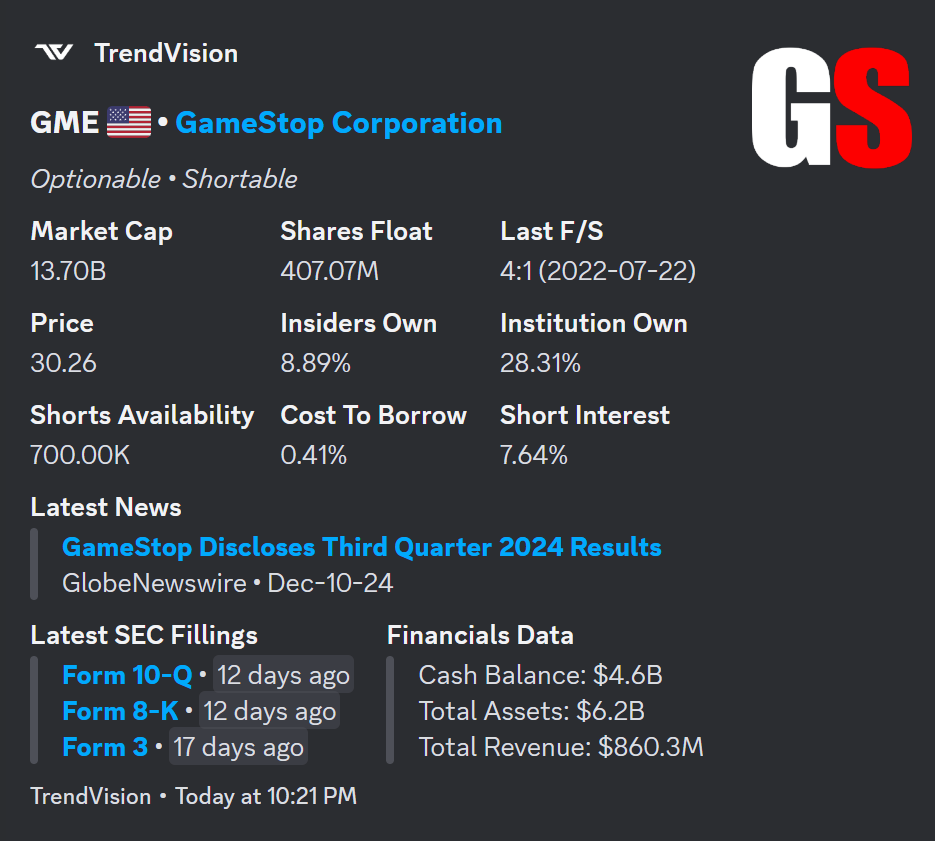
Info
Provides key information for a specific stock.
.info nvda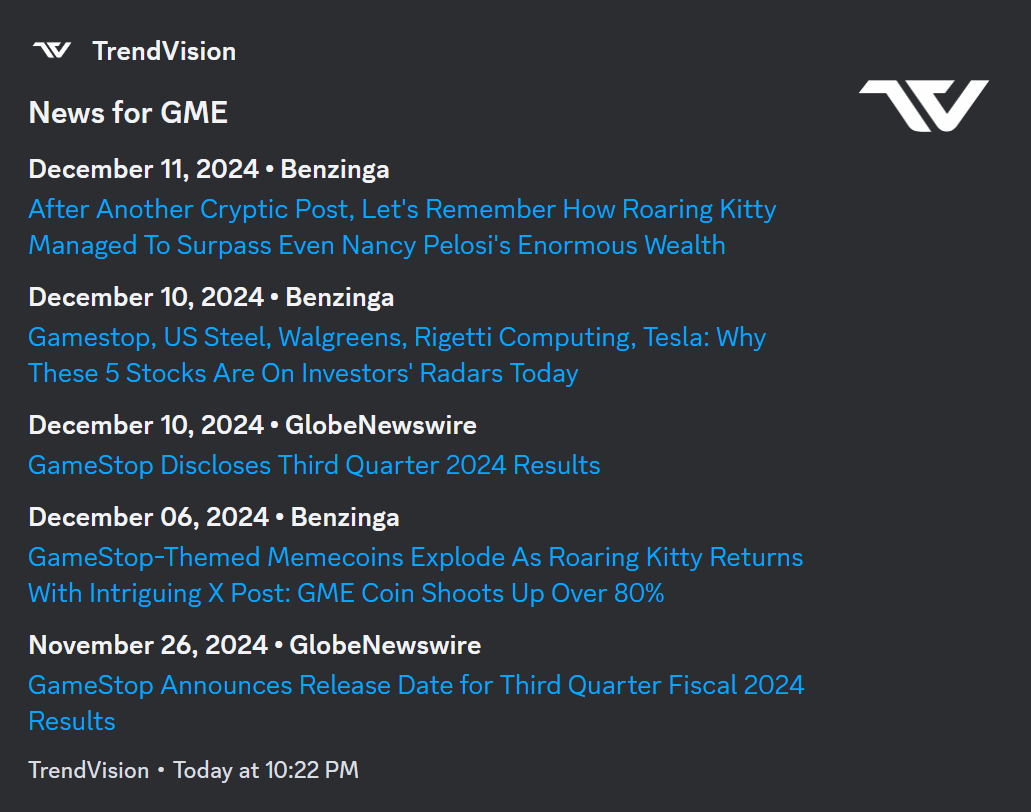
News
Shows the latest news for a stock.
.news nvda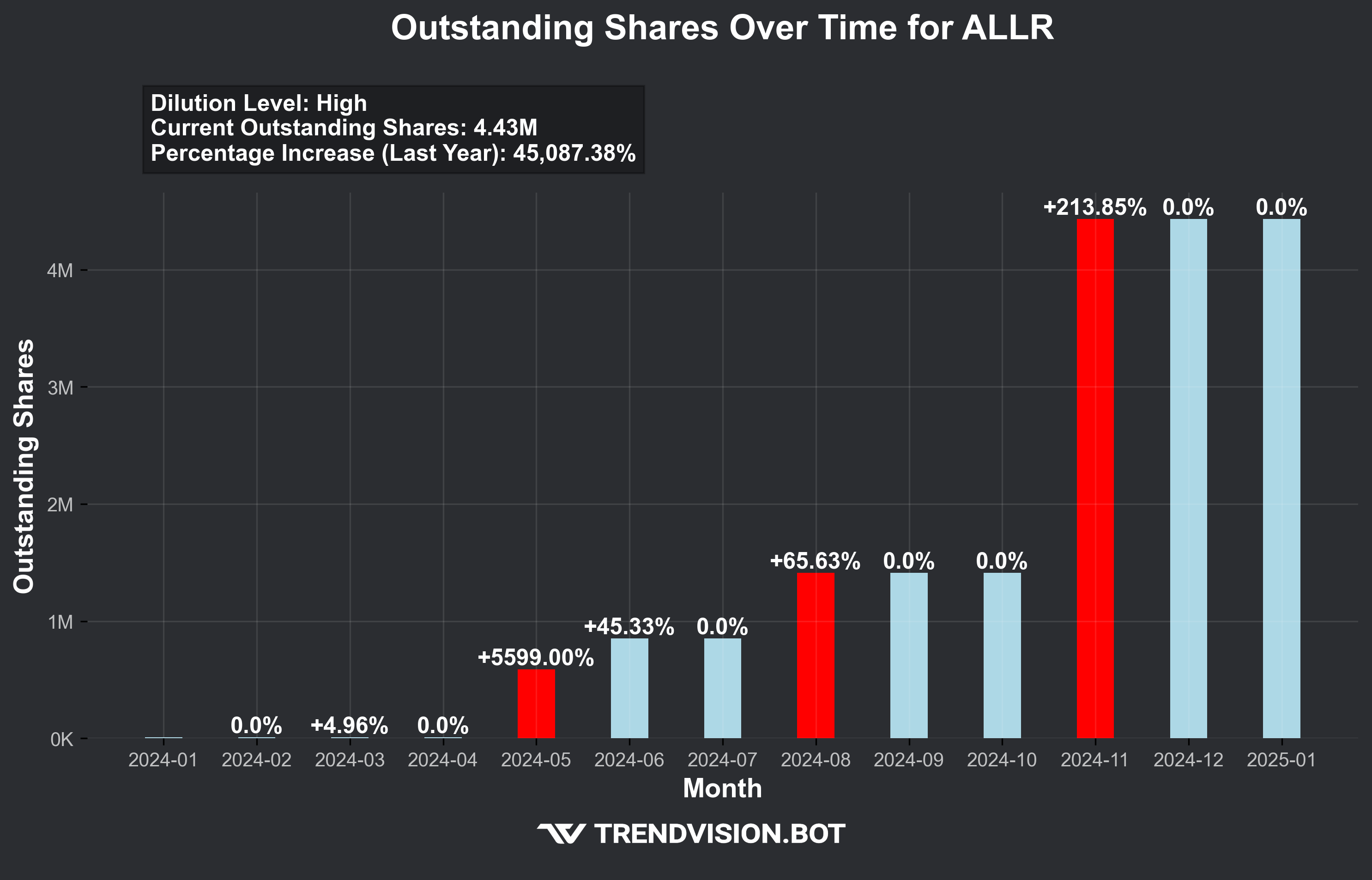
Historical OS
Retrieves historical data on outstanding shares float. Giving important information on potential dilution.
.os nvda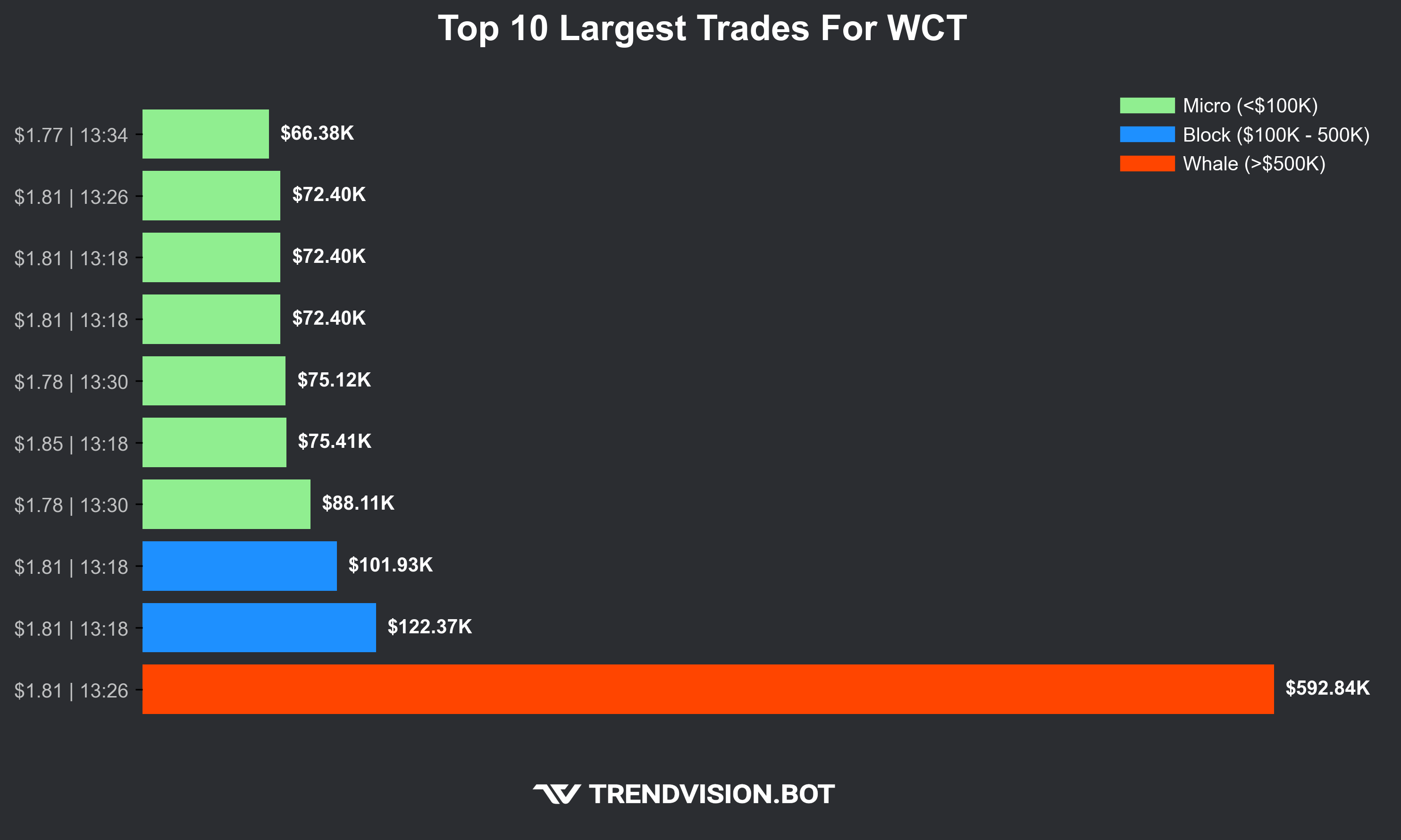
Top Trades
Retrieves the top 10 largest trades for a specific stock.
.tt nvda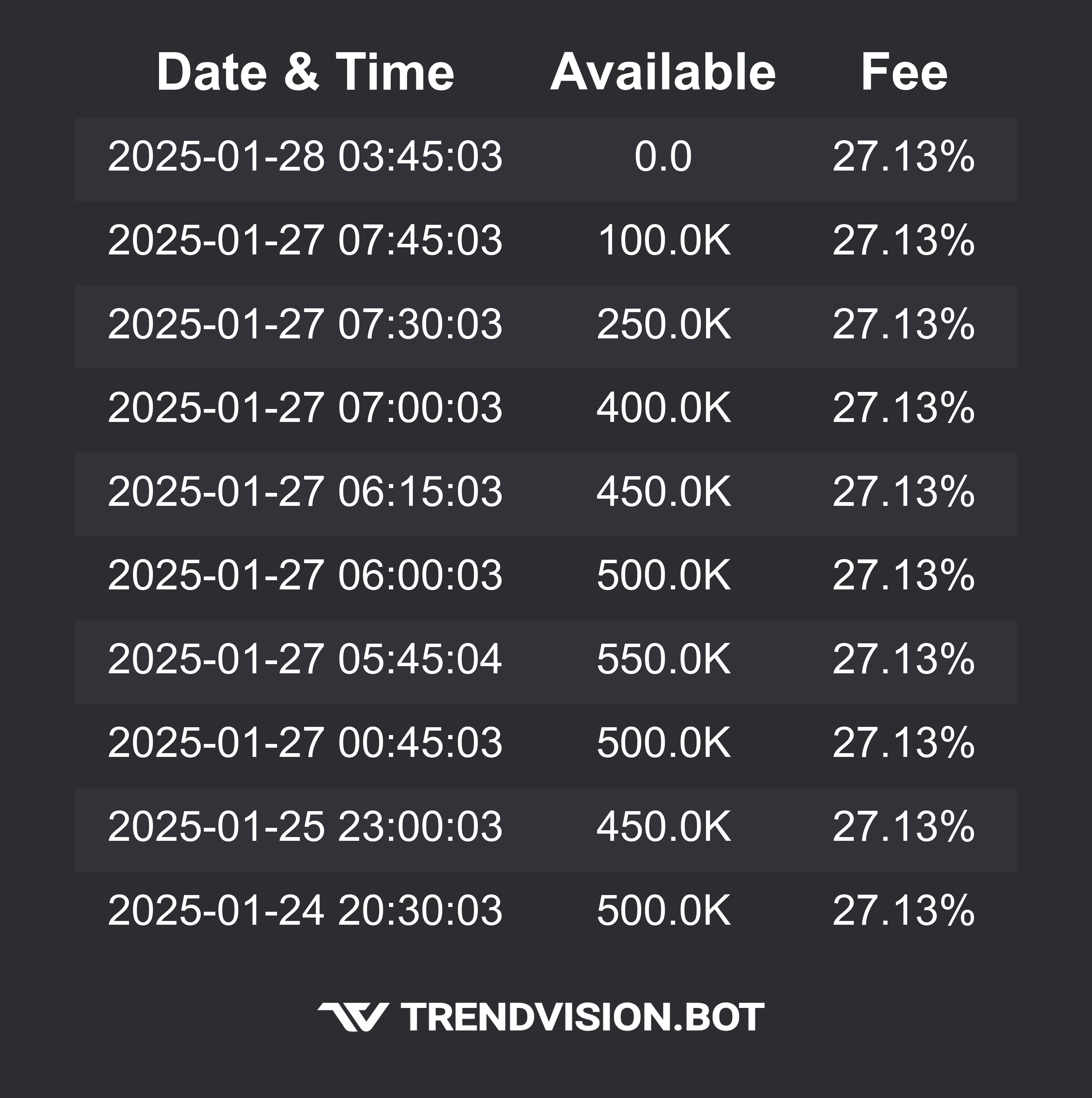
Short info
Fetches the latest available shares and borrowing cost for a stock.
.si nvda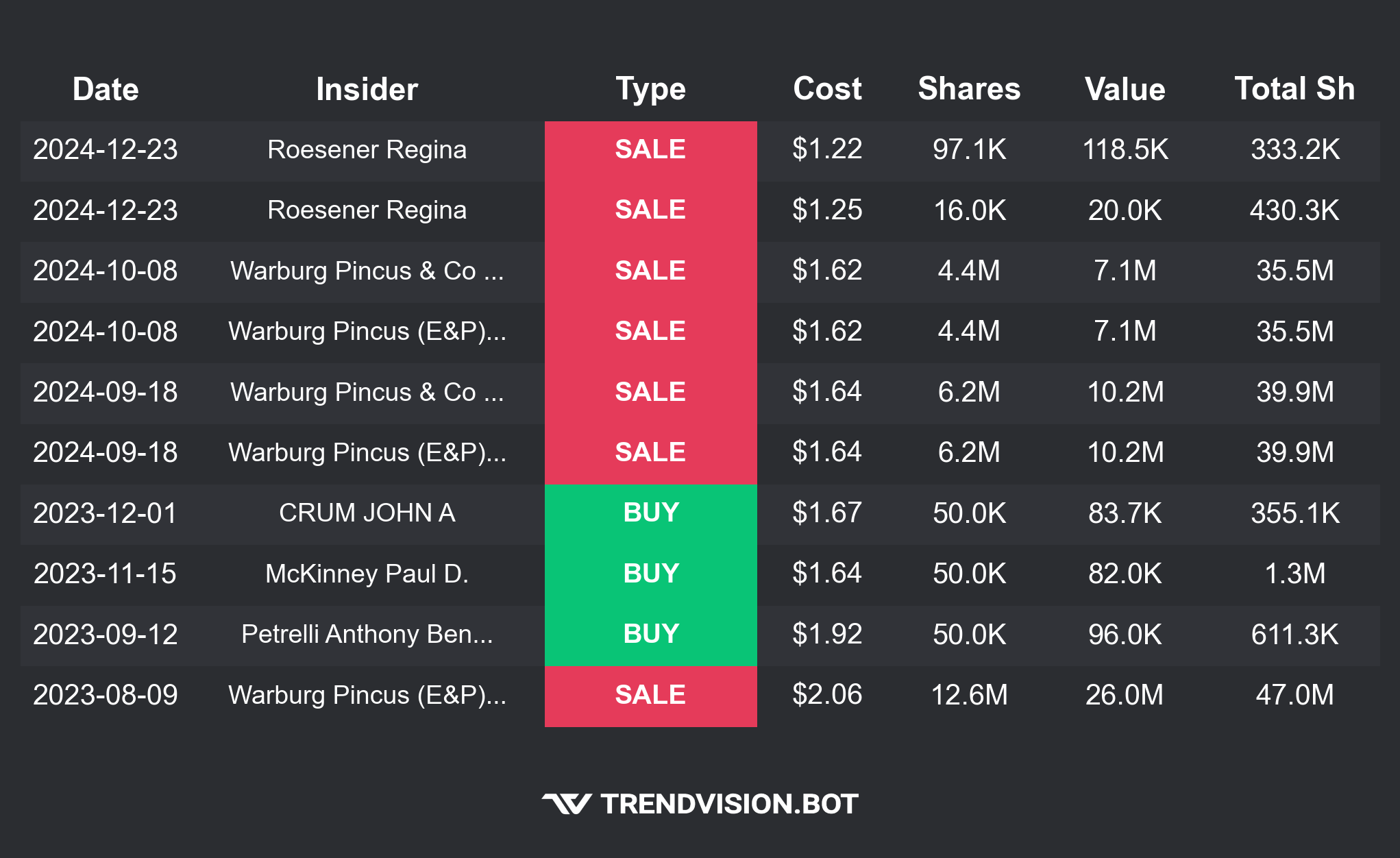
Insider Trades
Shows the latest insider tradings for a specific stock.
.it nvda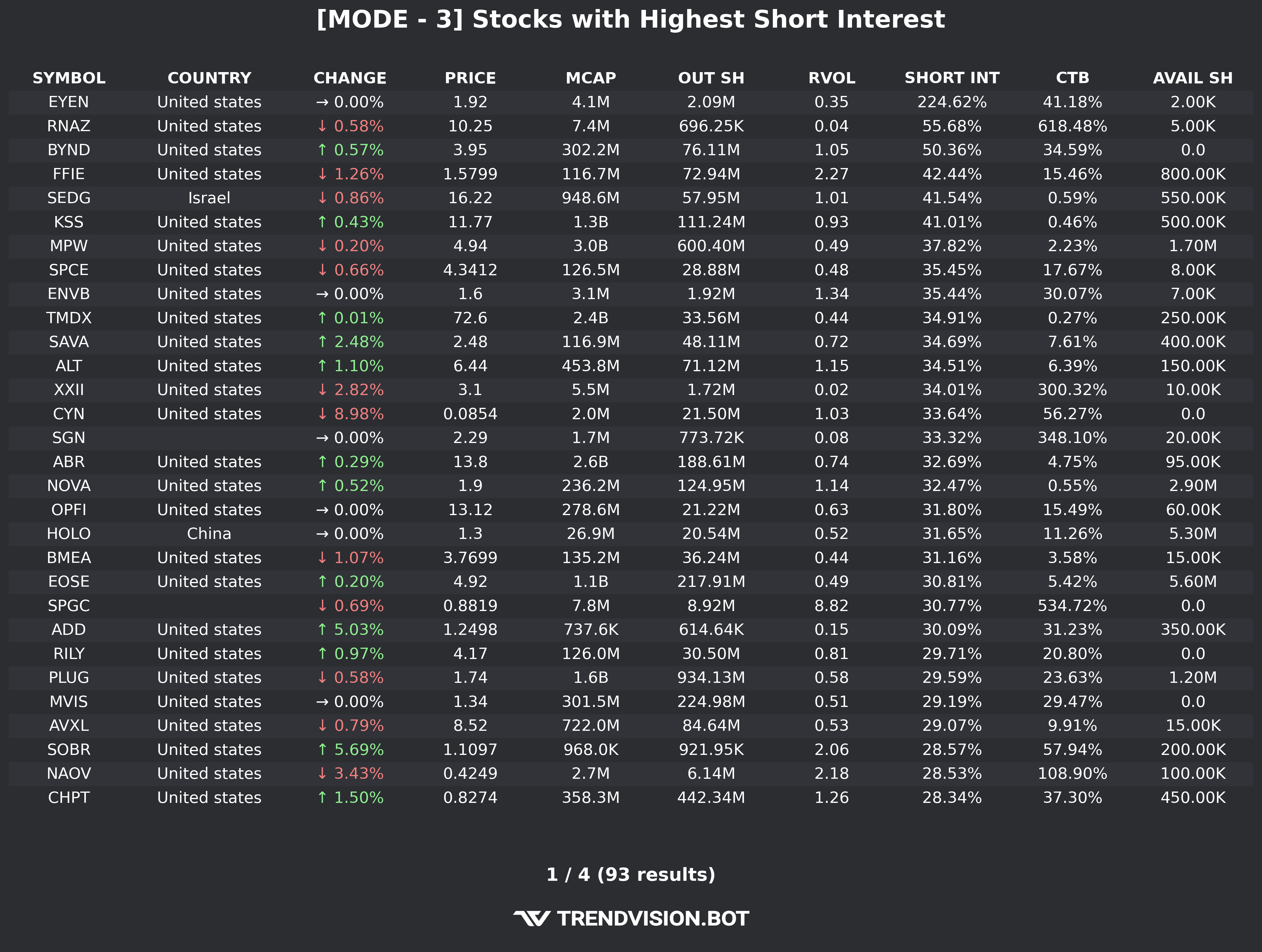
Screener
Allows users to filter stocks based on various modes and criteria. Type .screener to select filters.
.screener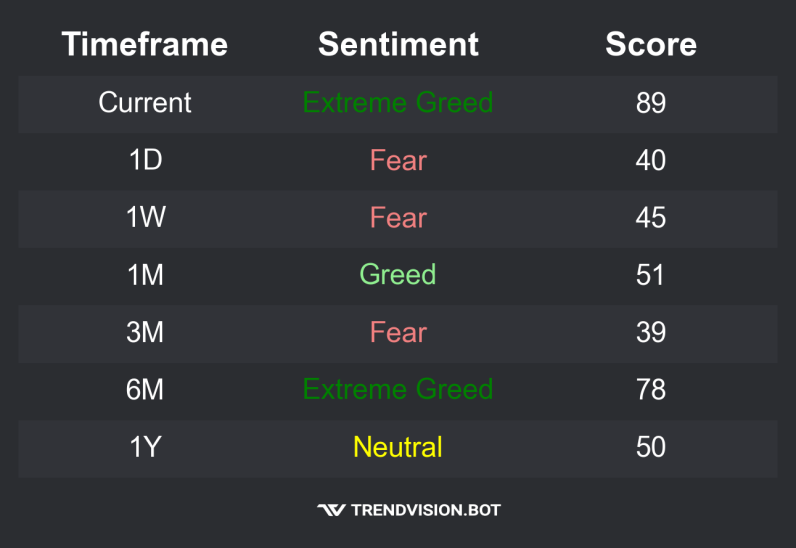
Sentiment Report
Shows a sentiment score for a specific stock based on social media comments, indicating levels of fear or greed surrounding that stock.
.sr nvda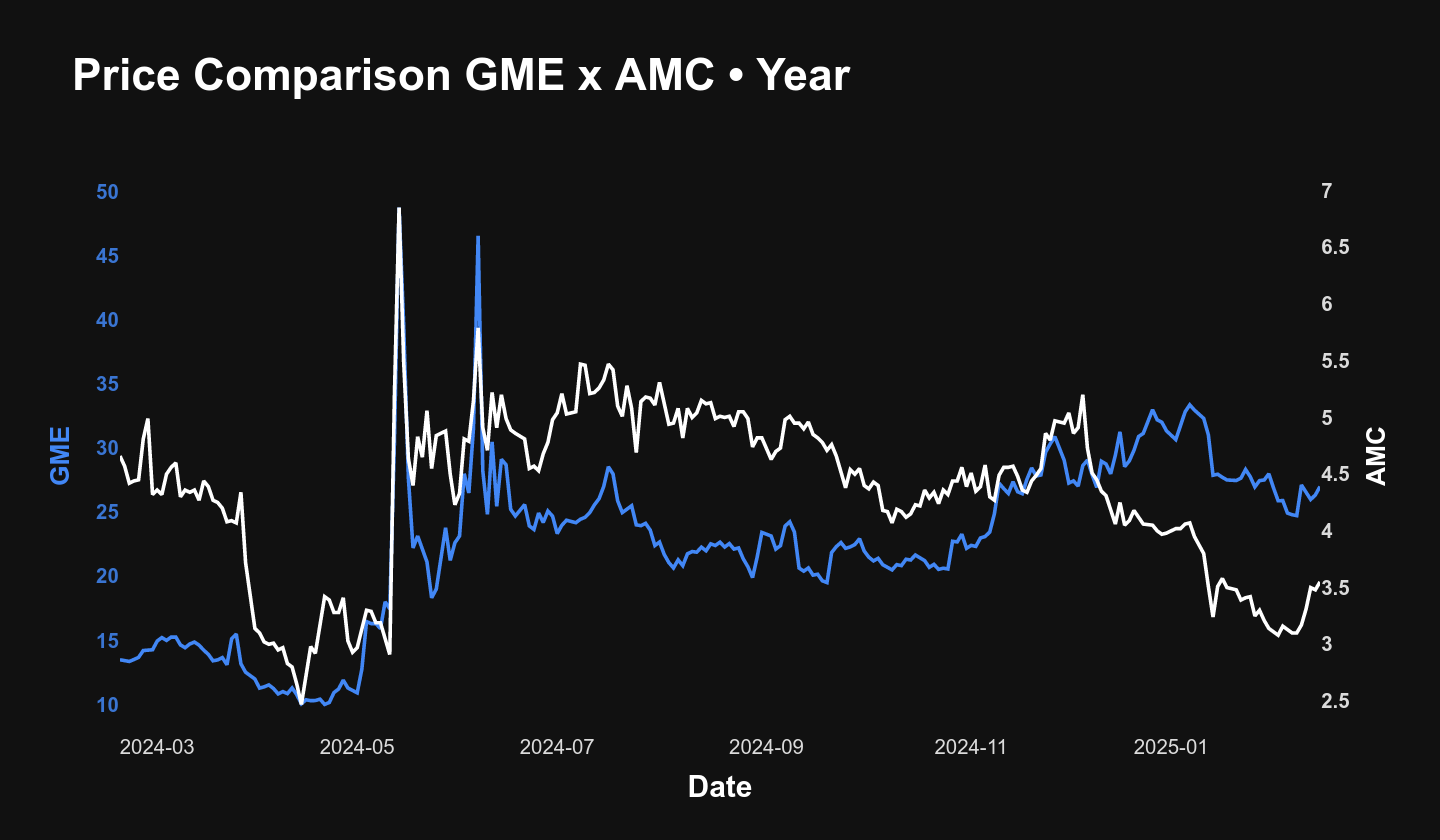
Price Comparison
Compares the price of two stocks over a specific period.
.pc gme amc year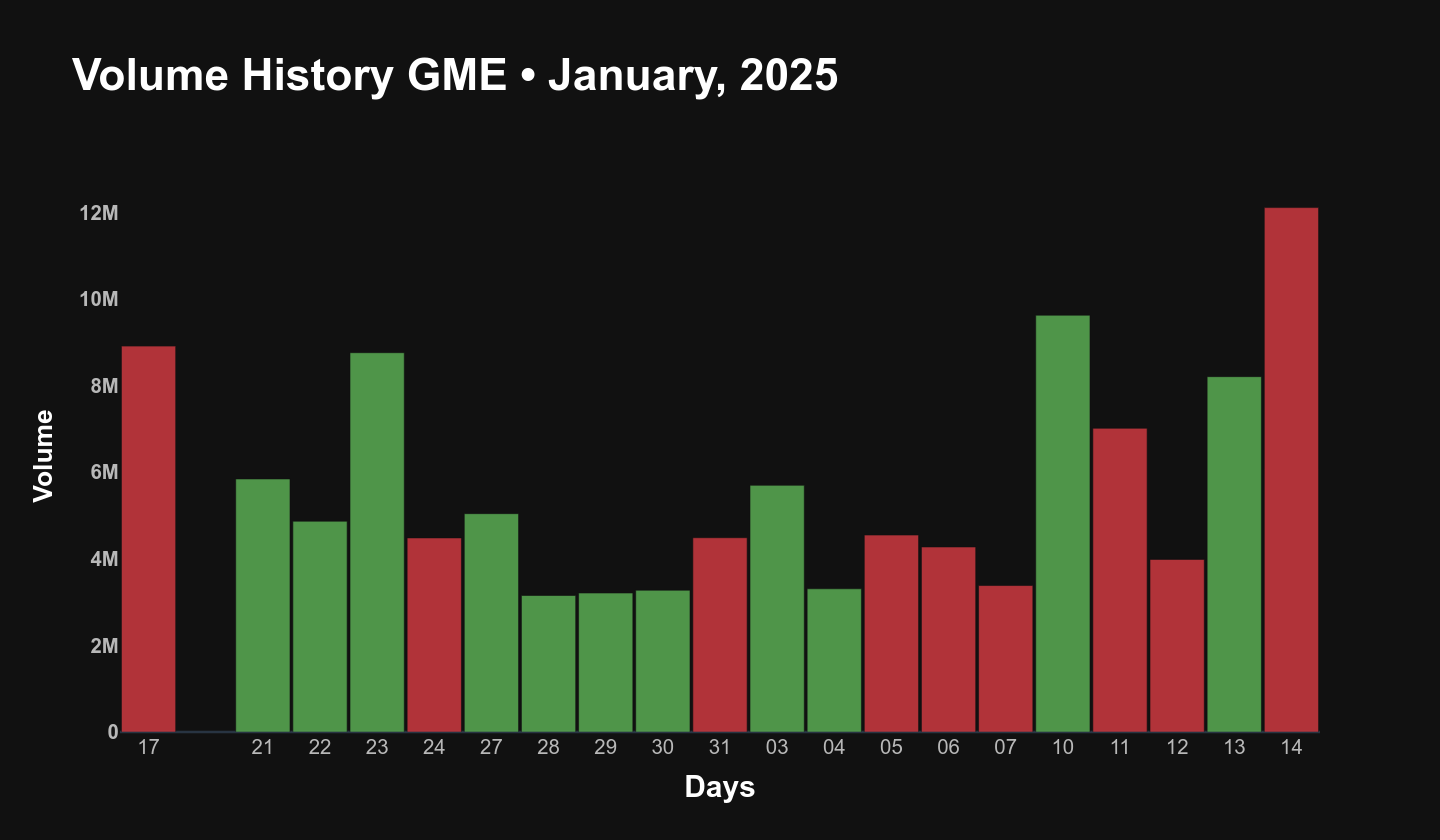
Volume History
Displays volume data for a stock over a specific time frame.
.vh gme month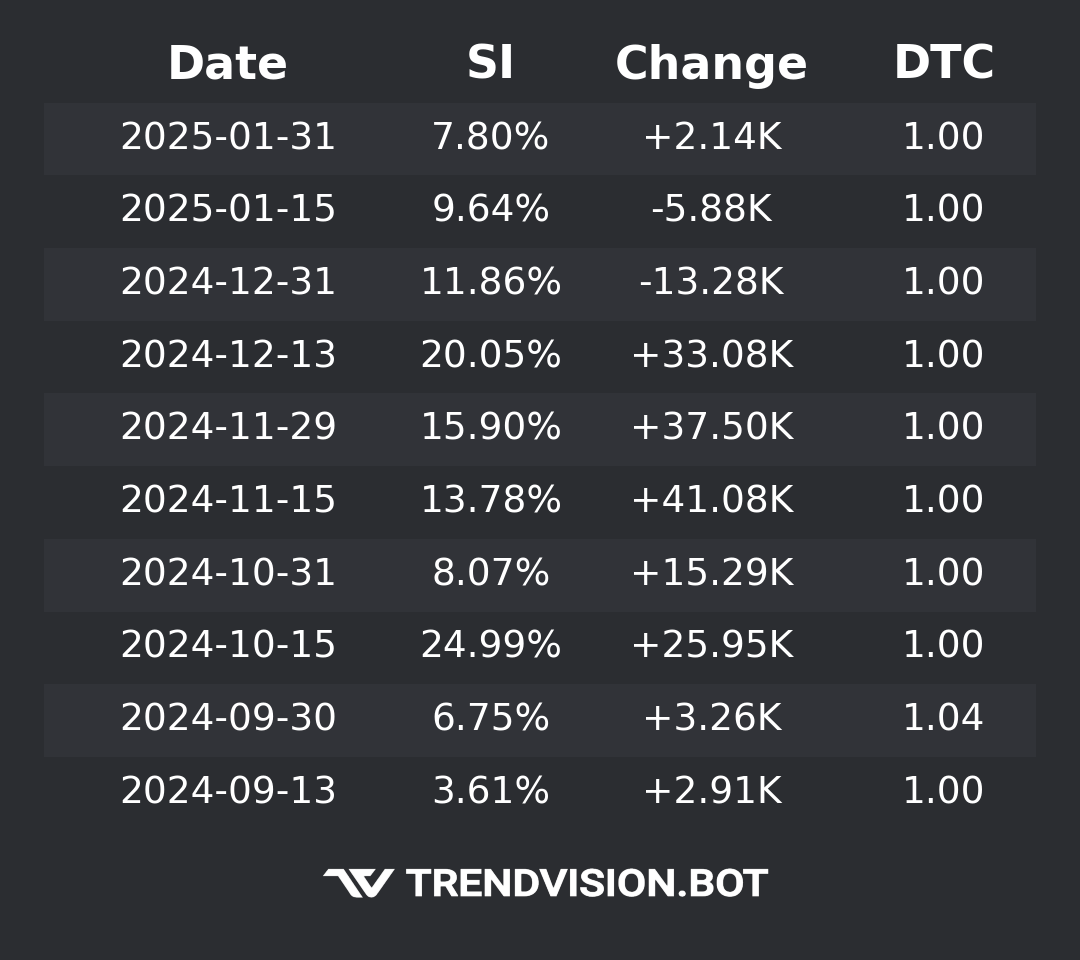
Short Interest
Displays the short interest for a given stock, including the change from the last reported data and the days to cover.
.sint nvda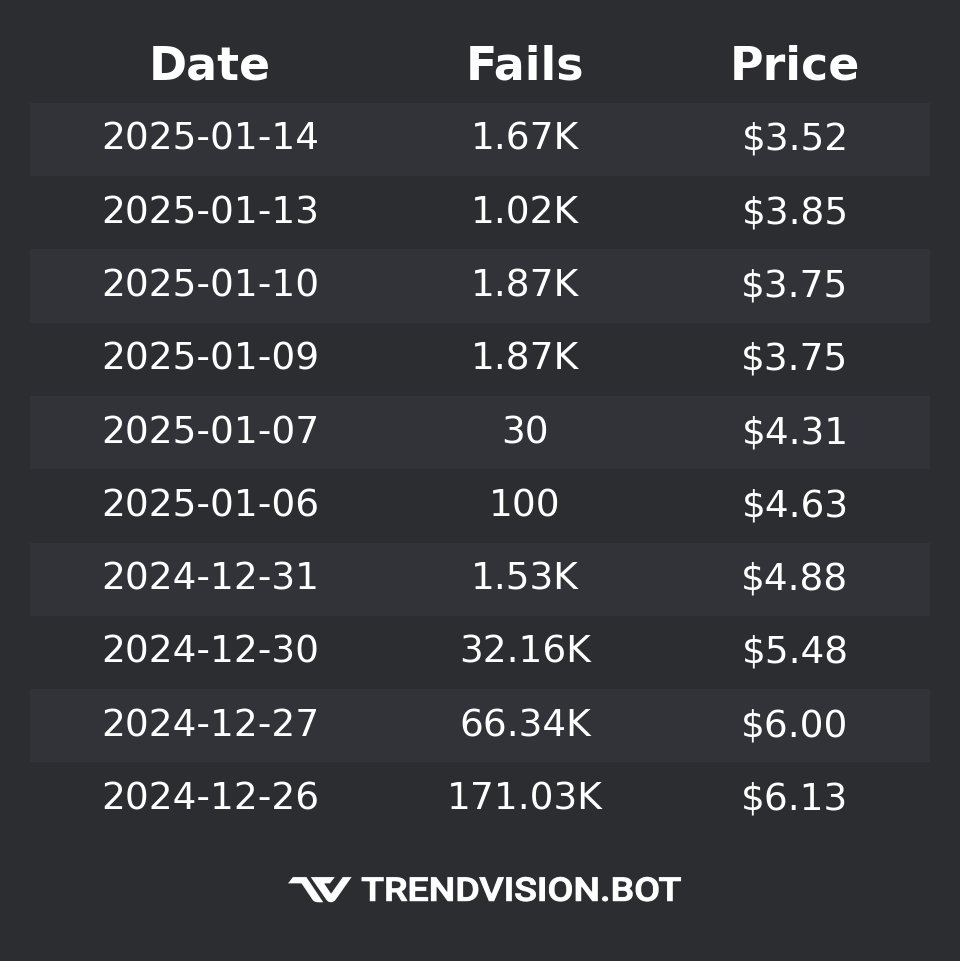
Fails to Deliver
Displays the number of fails to deliver for a stock, along with the price at which the fails occurred.
.ftd nvda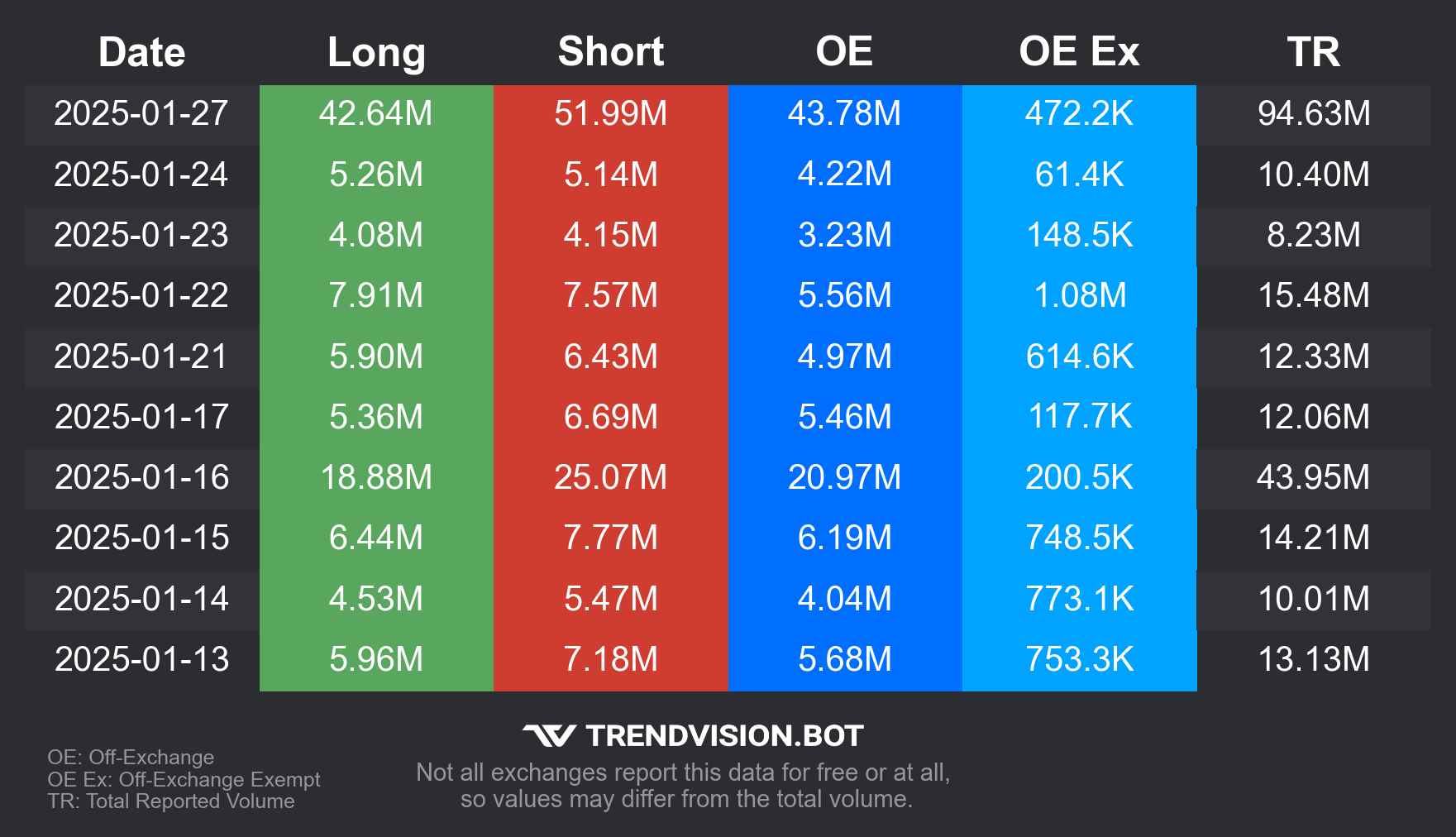
Volume Report
Displays volume report for a specific stock, including short/long trades and off-exchange activity.
.vr nvda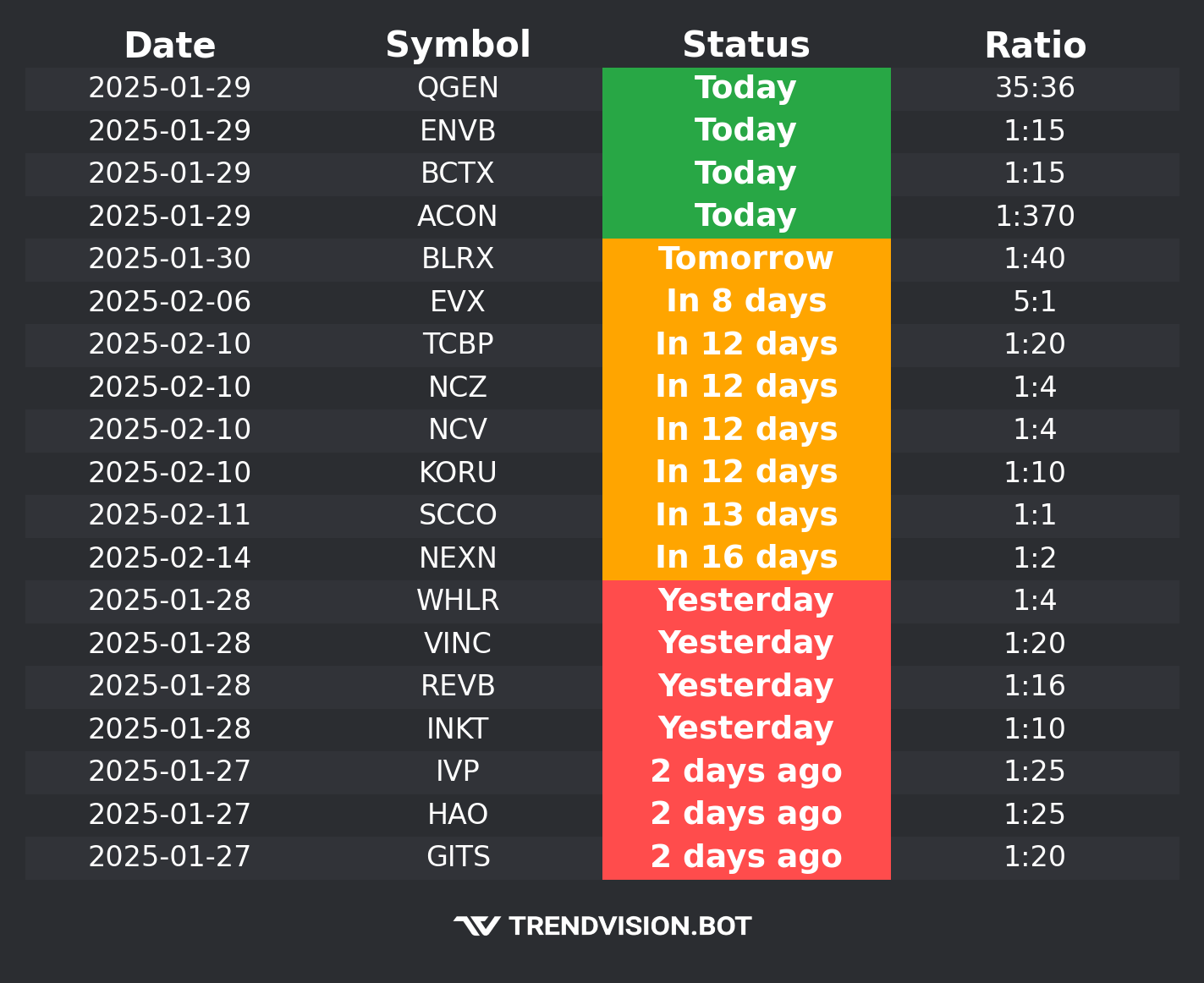
Splits Calendar
View the latest reverse and forward stock splits. Use '.rsc' for all splits, '.rsc R' for reverse splits, and '.rsc F' for forward splits.
.rsc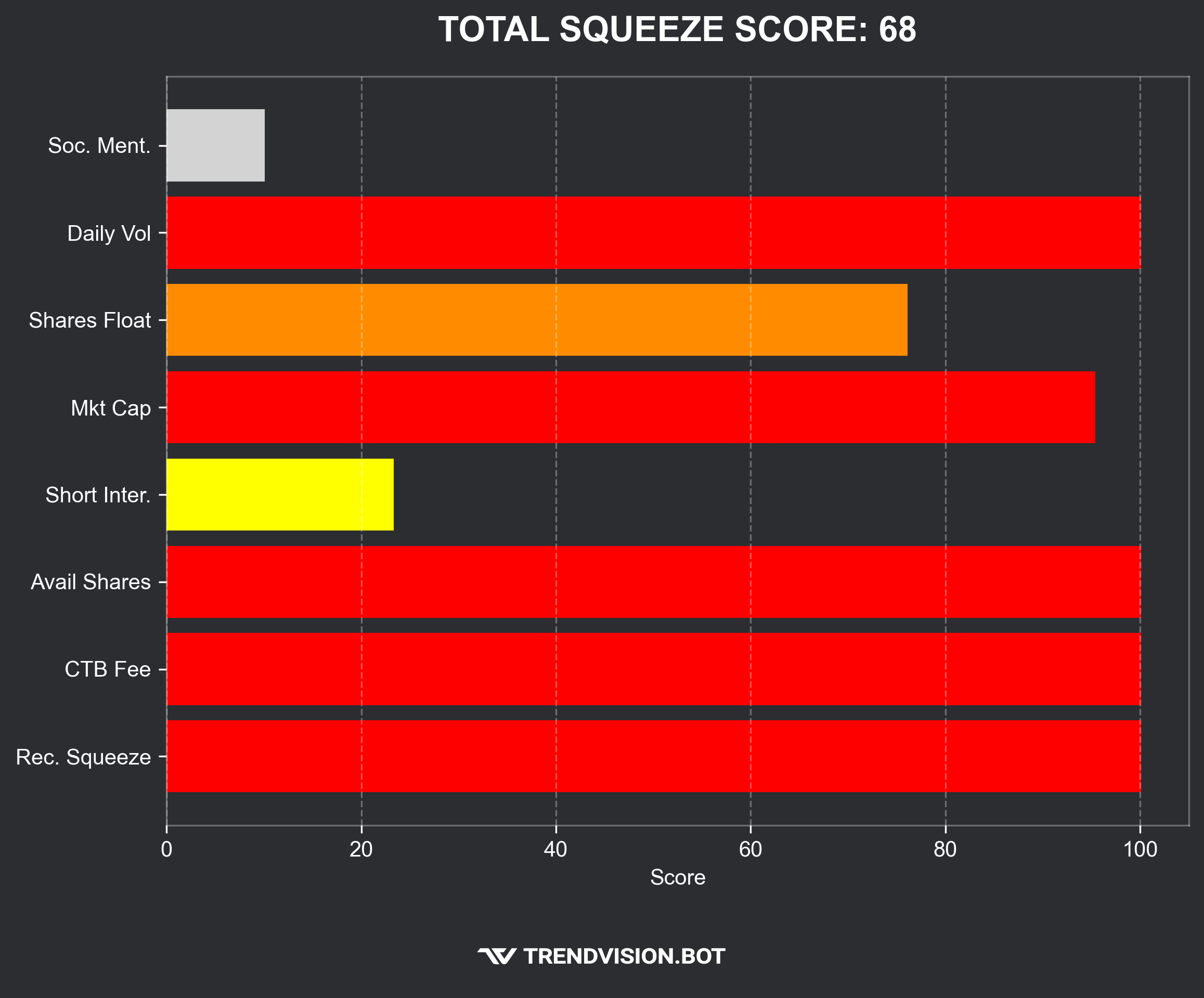
Squeeze Score
Helps identify potential short squeezes by analyzing key factors for a specific stock.
.ssf nvda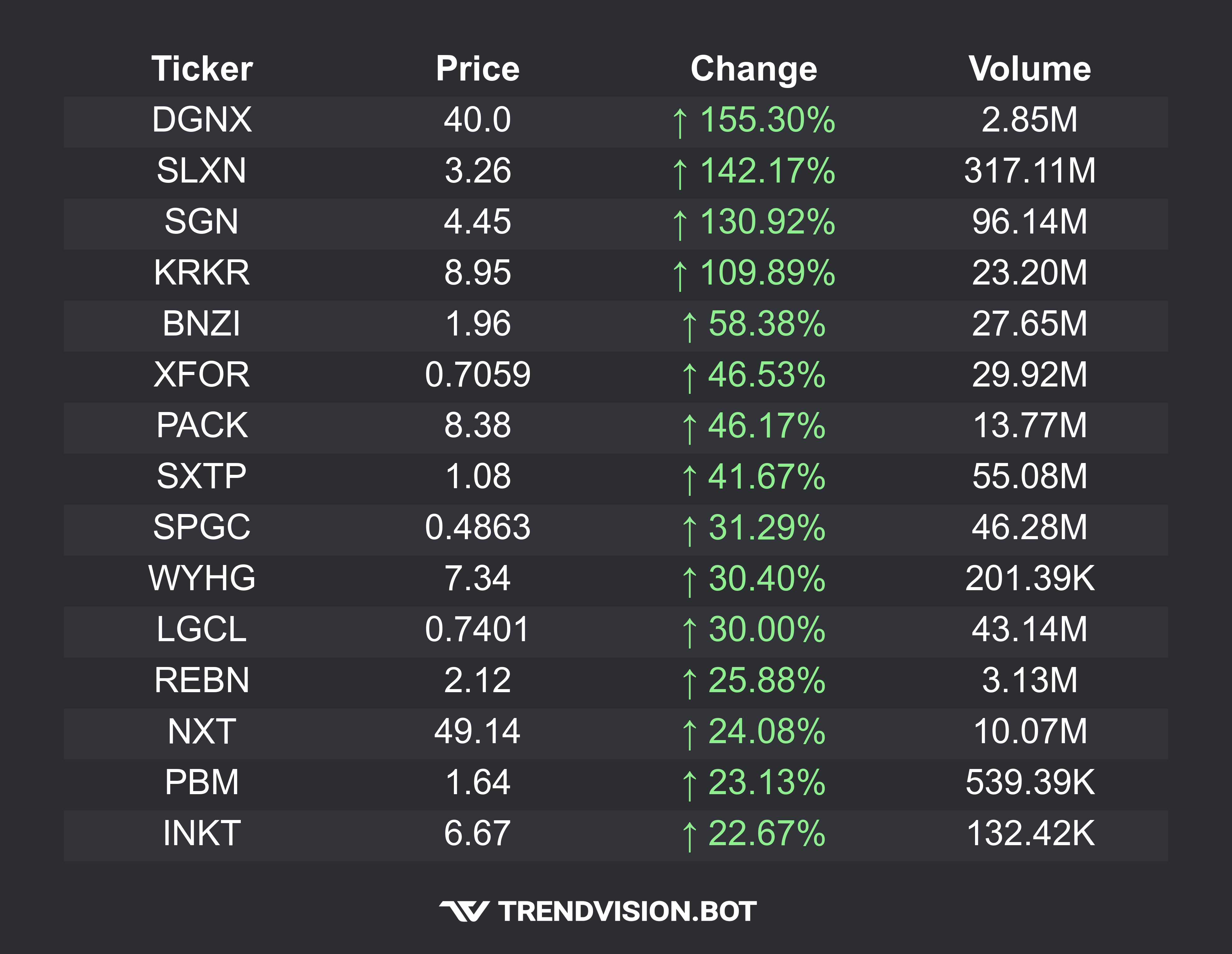
Top Gainers
Displays the top gainers stocks for the current market session (Pre-Market, Regular, After-Hours) or time frame (1D, 5D).
.tg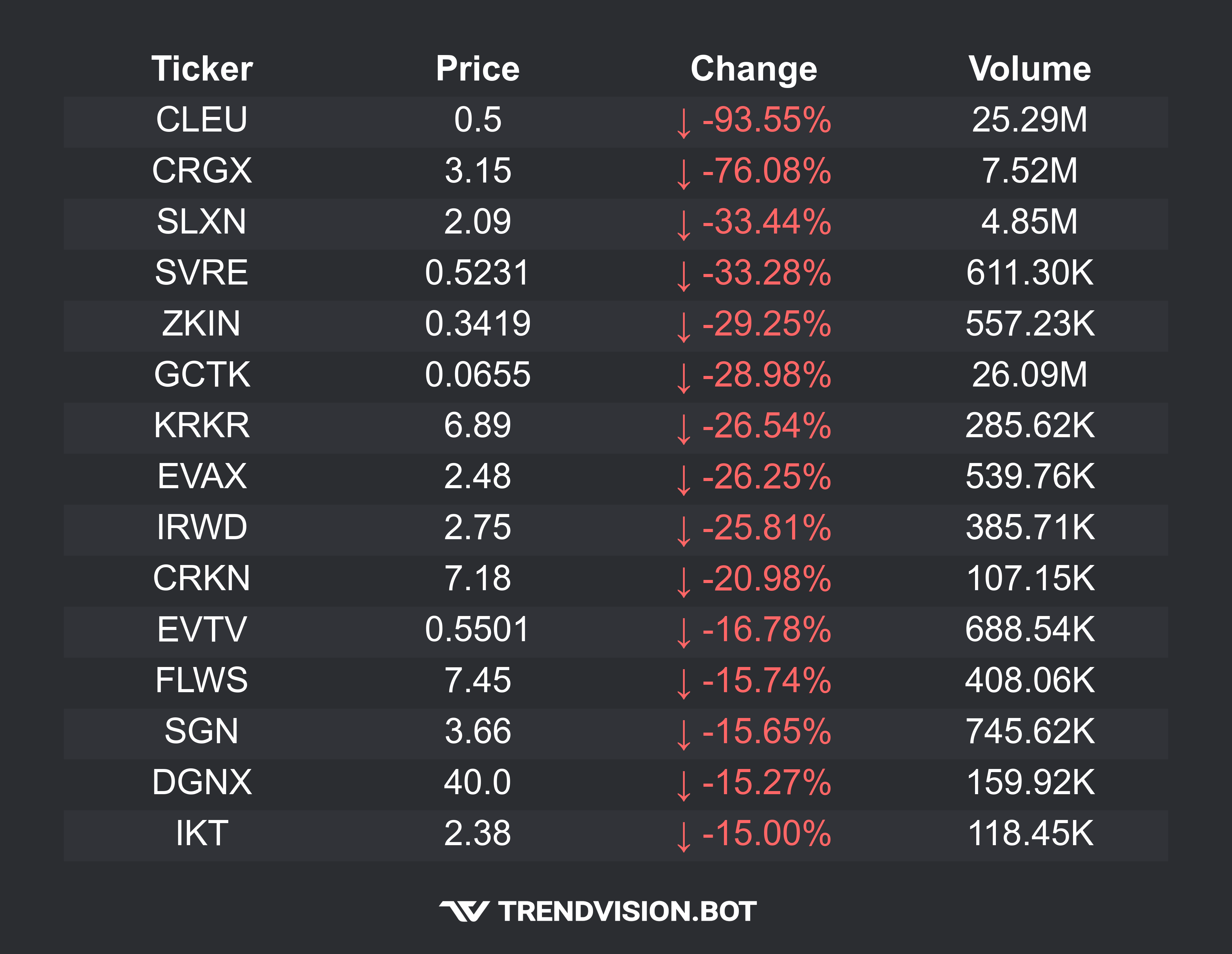
Top Losers
Displays the top losers stocks for current market session (Pre-Market, Regular, After-Hours) or time frame (1D, 5D).
.tl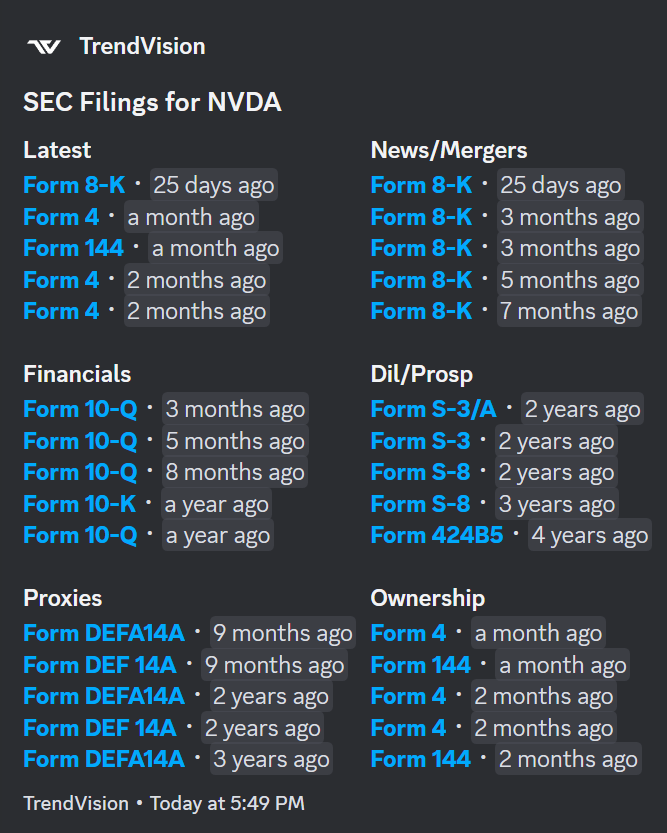
SEC Filings
Fetches SEC filings for a stock by category. Use '.sec' followed by the stock symbol or specify a form like '.sec nvda 8-K'.
.sec nvda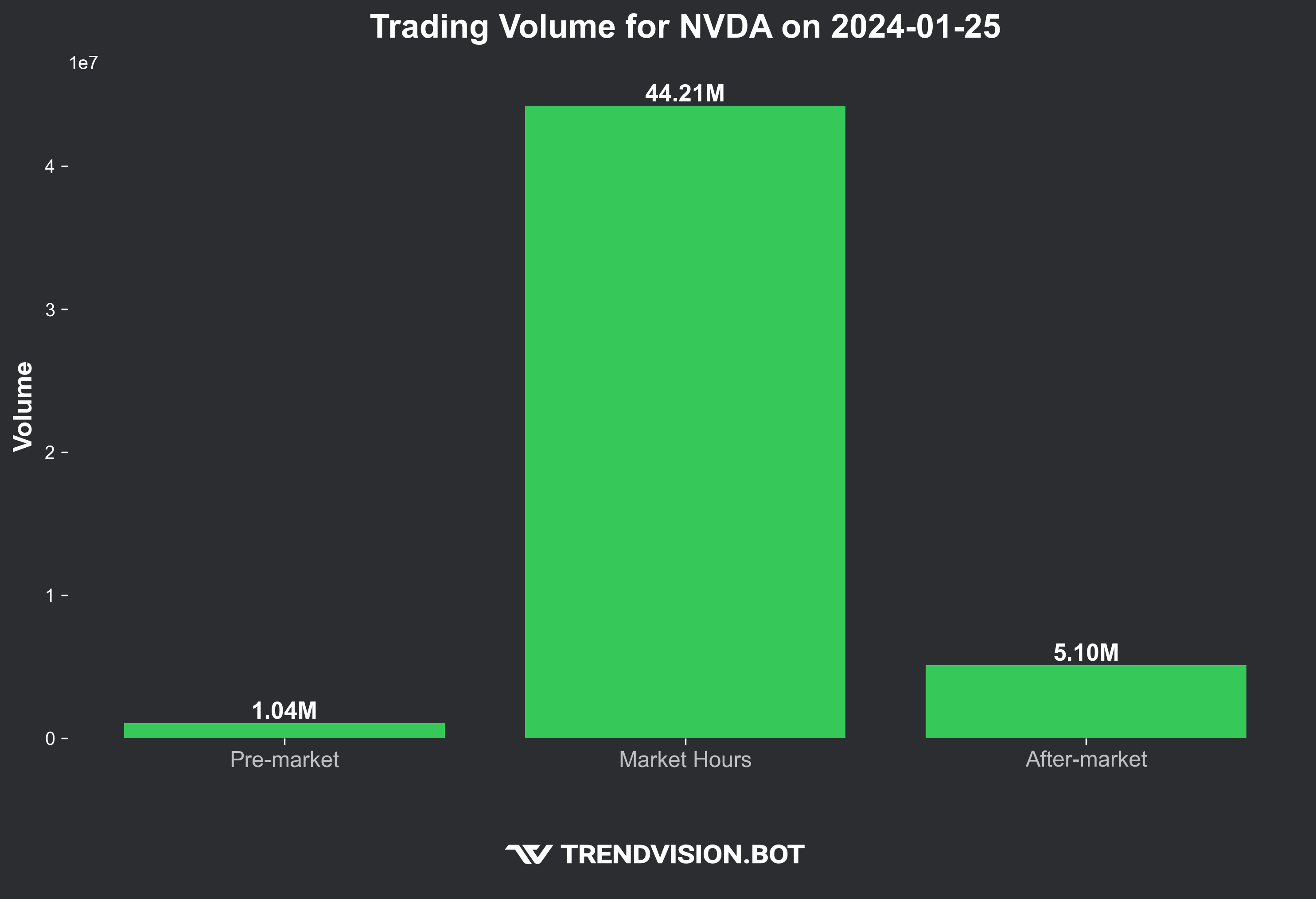
Trading Volume
Displays a stock's trading volume during both market and extended hours for a specific stock.
.tv nvda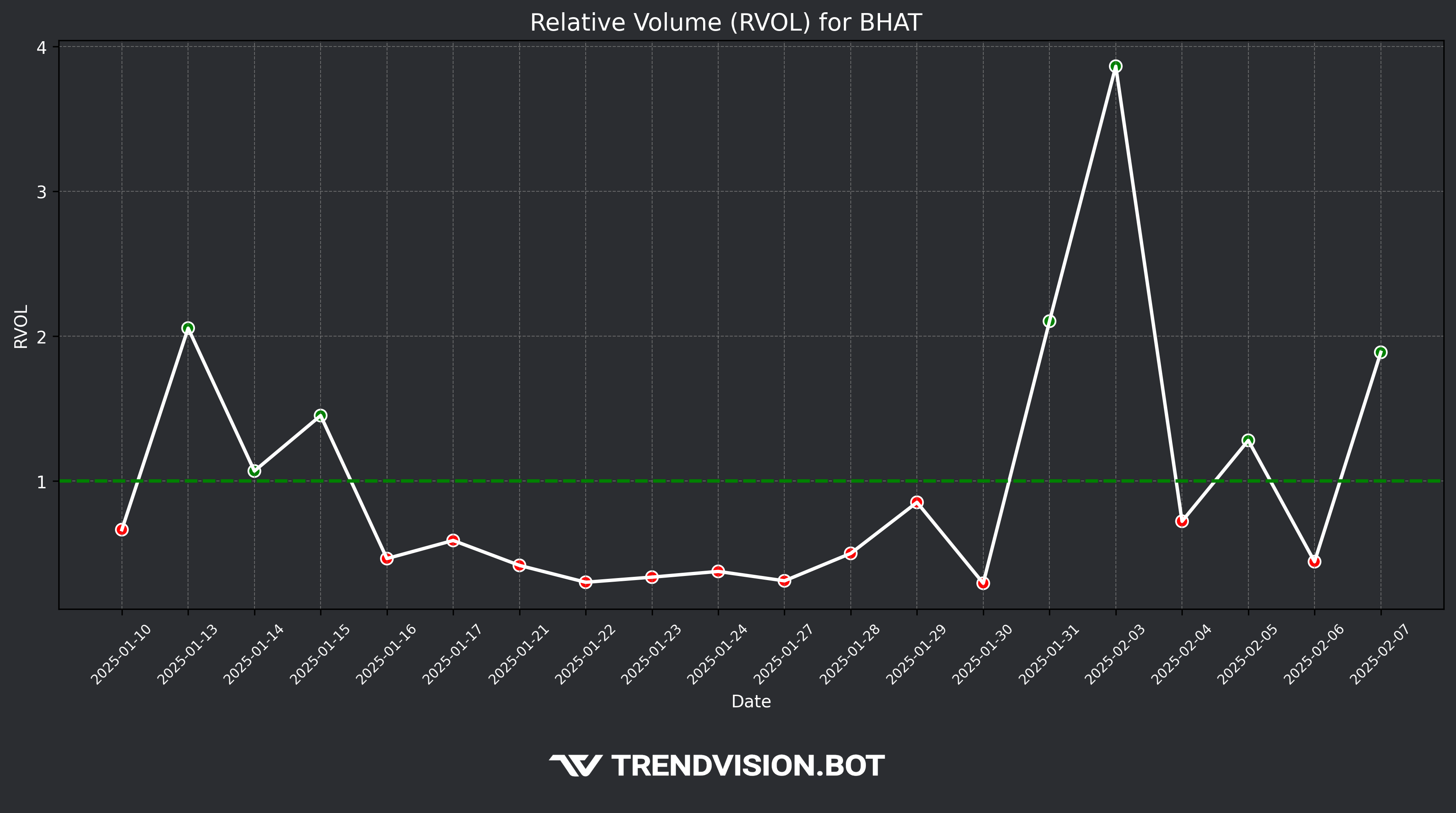
Relative Volume
Displays a stock's relative volume over different time periods (1M, 2M, 3M, 6M, 12M) based on historical data.
.rvol nvda 1M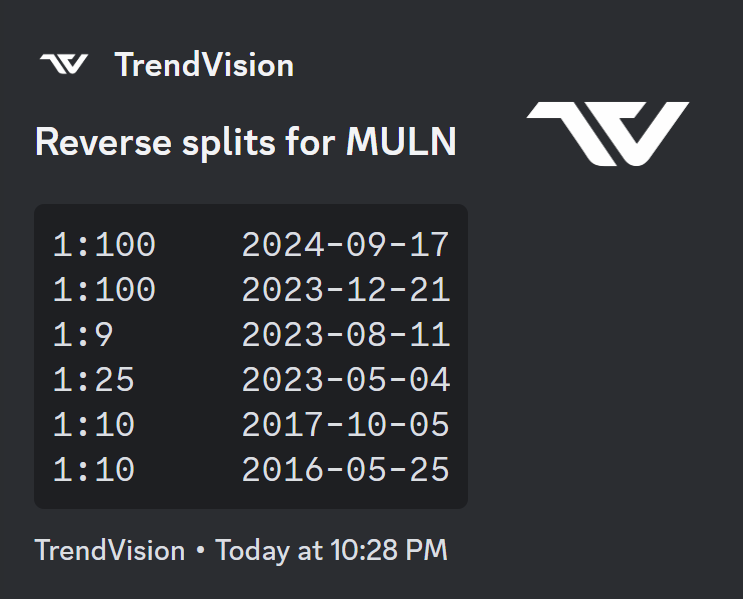
Stock Splits
Lists the latest reverse and forward splits for a specific stock.
.rs nvda or .fs nvda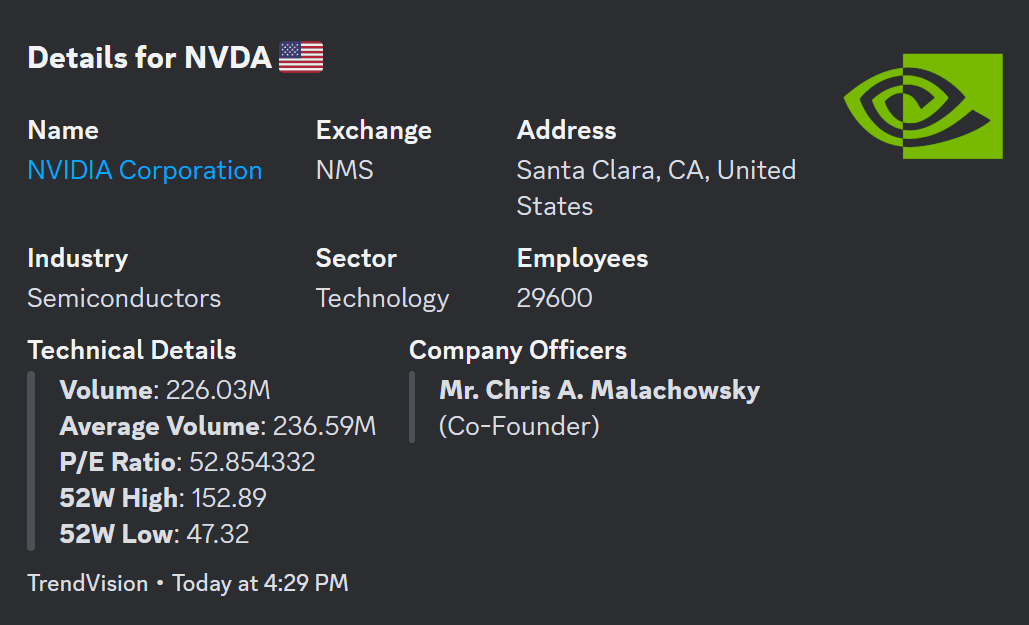
Details
Provides additional details for a specific stock.
.details nvda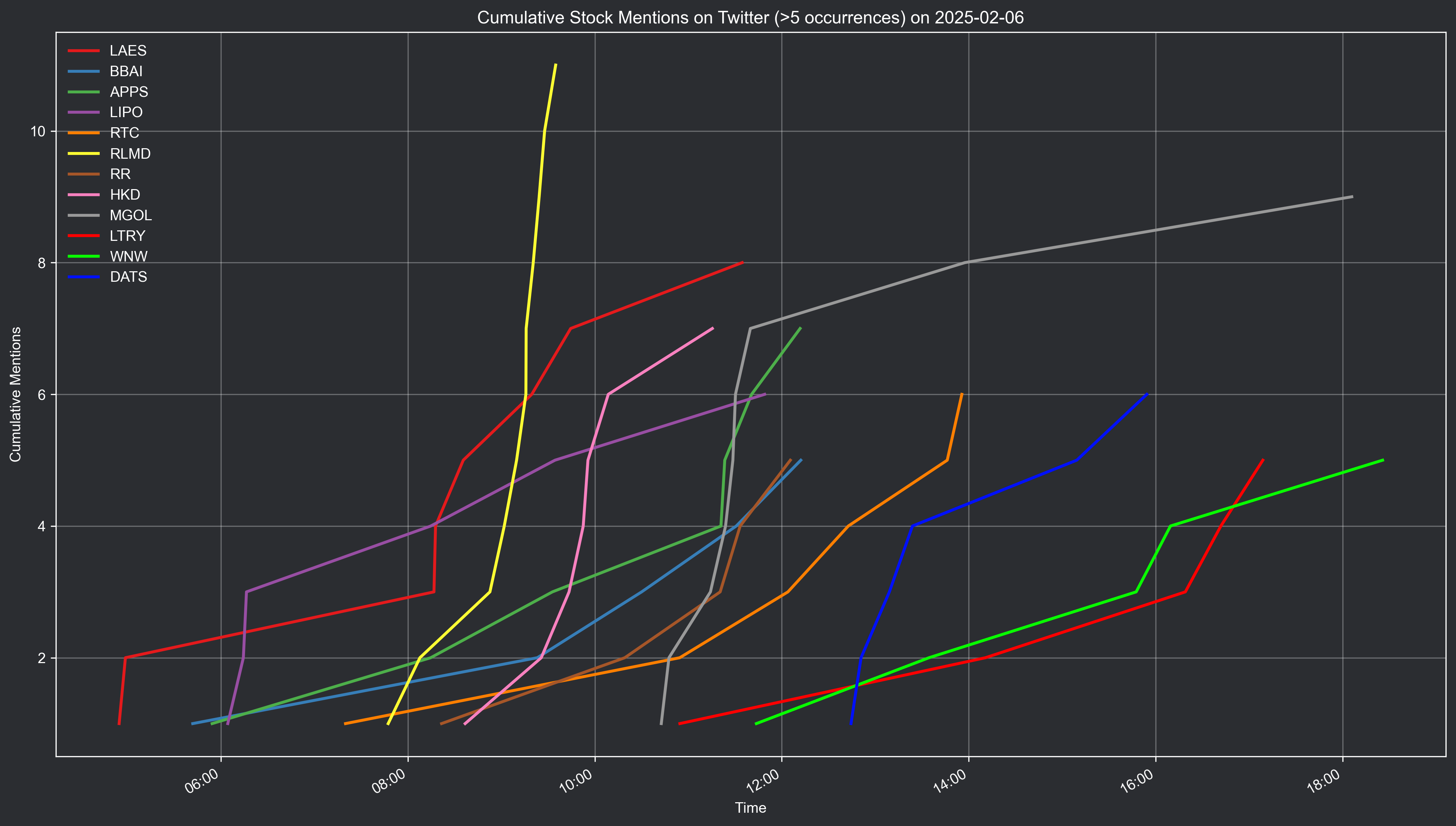
Mentions Report
Displays the most mentioned stocks by day traders for the day.
.r sm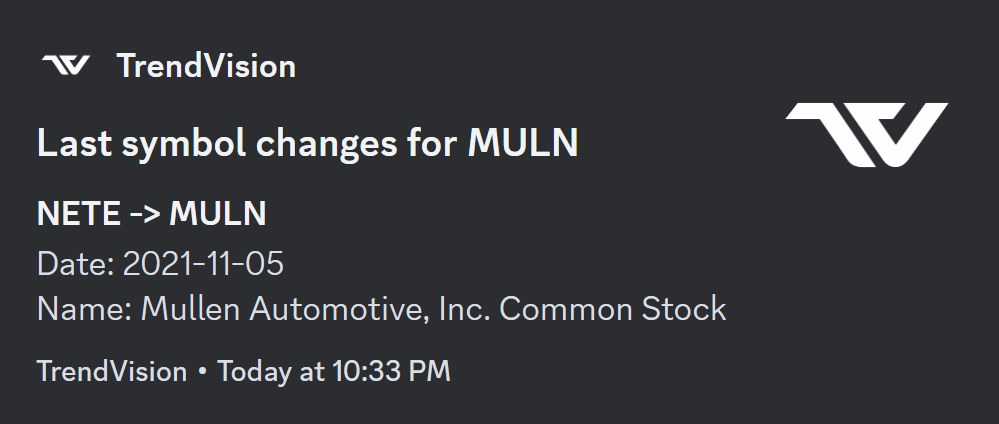
Symbol Changes
Shows symbols changes due to mergers, acquisitions, and name changes for a specific stock.
.sch nvda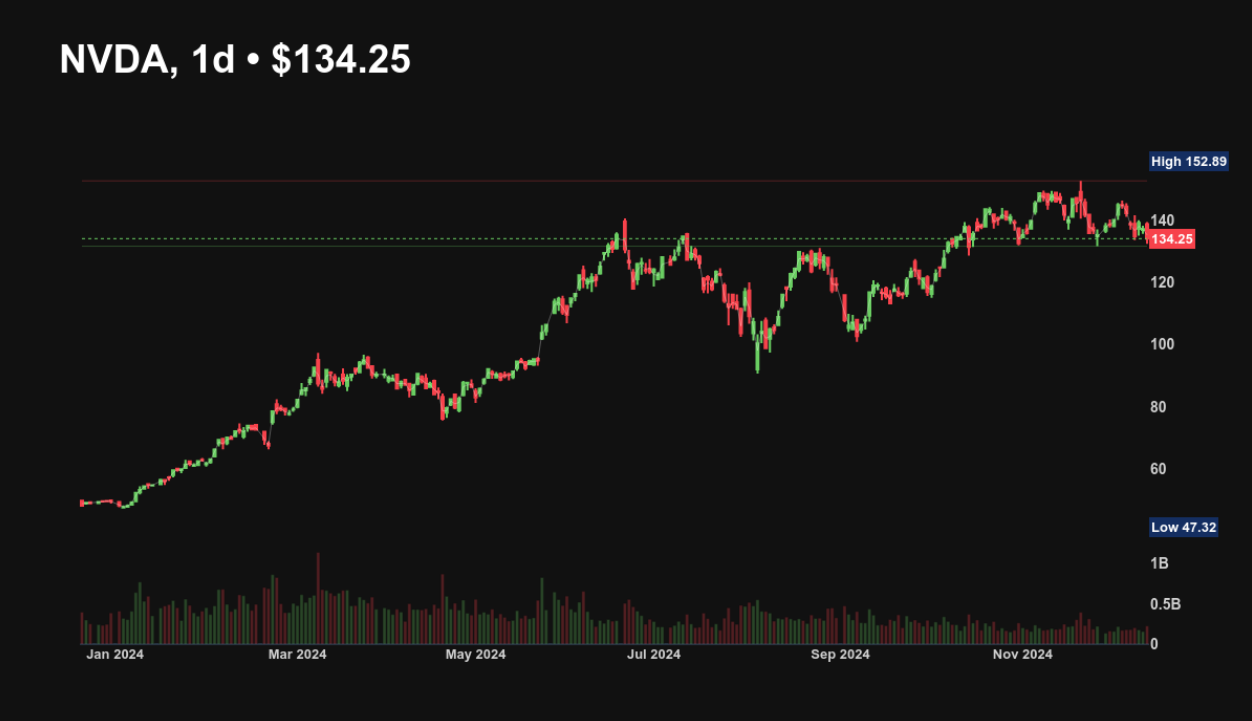
Chart
Displays a visual chart of stock price movements over a specified interval for a specific stock.
.chart nvda 15m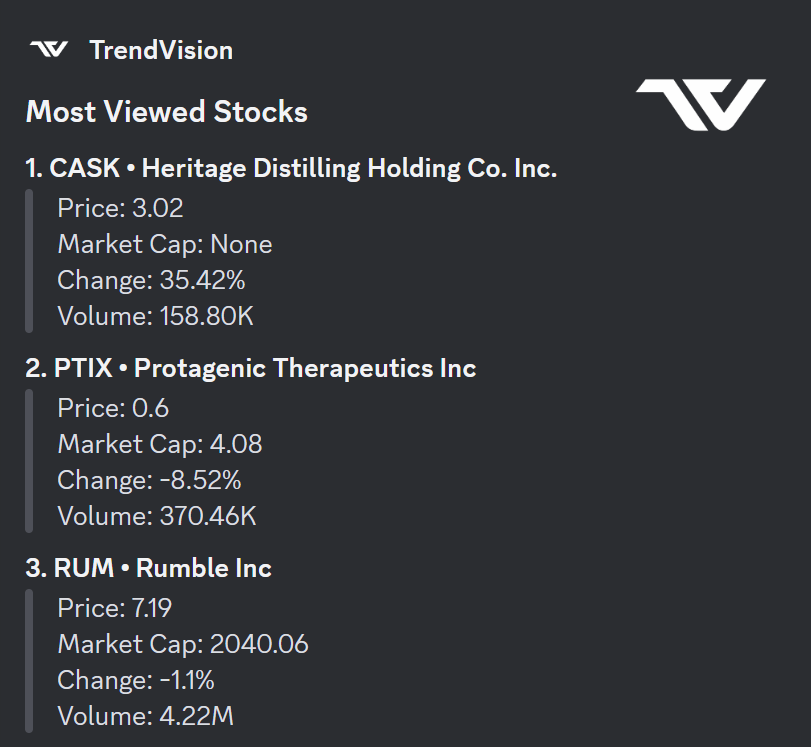
Most Viewed
Shows the most viewed stocks in the last 24 hours.
.mv nvda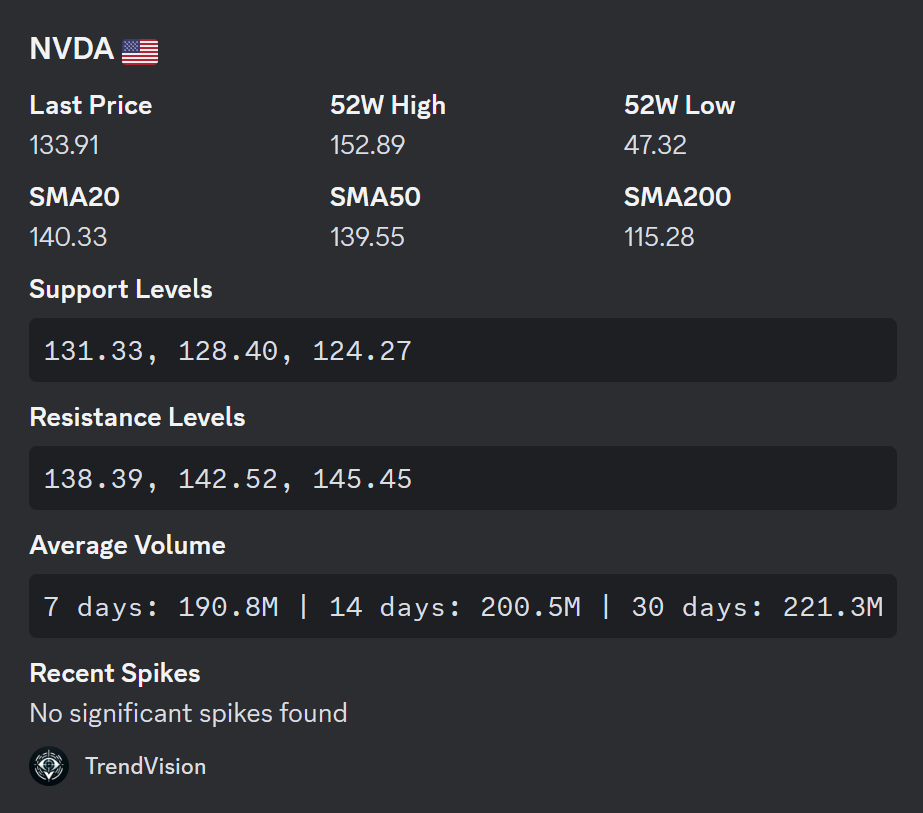
Technical Analysis
Provides comprehensive technical analysis for a specific stock.
.ta nvda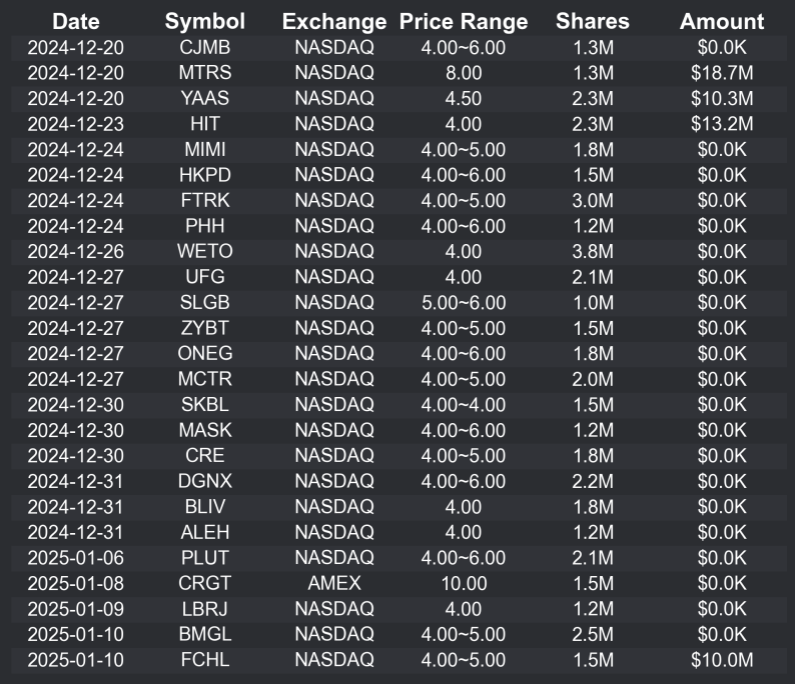
IPO Calendar
Displays a calendar with the next upcoming IPOS.
.ipos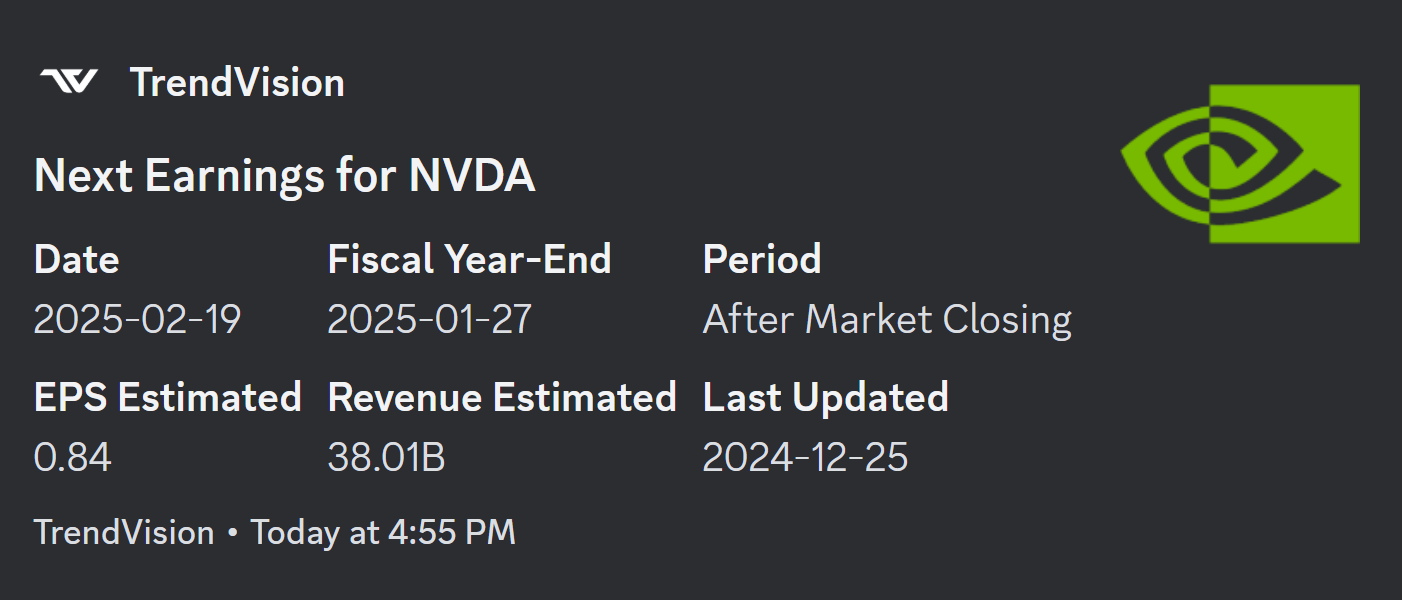
Next Earnings
Shows the next earnings date for the stock, along with key details like estimates.
.ne nvdaHave suggestions for new commands? Feel free to reach out to a TrendVision developer in the TrendVision server, or share your ideas in the suggestions channel if you are a premium member.